
Brand voice profiles
A profile holds tone words, vocabulary to use and to avoid, and example snippets, per brand property. The profile is folded into the prompt, so a draft starts in your voice instead of a generic one.
Beacon drafts content in your brand voice, runs email campaigns and social posts, tests landing pages, and shows where results came from. It is not open to customers yet.

Beacon keeps the marketing work together: content with a brand voice, email sequences, social posts, landing pages, experiments, and the analytics that tie them to results. Each group below is something the code does today.
A profile holds tone words, vocabulary to use and to avoid, and example snippets, per brand property. The profile is folded into the prompt, so a draft starts in your voice instead of a generic one.
Blog posts, emails, social posts, ad copy, landing page copy, and SEO meta text each have their own prompt. A fast, low-cost model (Mercury 3) handles bulk drafts, and Claude Sonnet 5.5 handles the quality-critical ones.
Turn one piece into another format, such as a blog post into social posts or email copy. The model rewrites the source for the new channel, in the same brand voice unless you choose another.
Content moves draft, review, approved, published, then archived, and the allowed moves are fixed: a draft cannot jump to published, and a published piece can only be archived.
The prompt builders strip common prompt-injection phrases from user input and enforce length limits before anything reaches a model. It is a filter, not a guarantee.
A campaign is an ordered list of steps: email, wait, condition, and split. Conditions can check a contact's fields or whether they opened an email, and a campaign can be started, paused, and measured.
Messages go out through SendGrid, and SendGrid's webhooks come back signed: Beacon verifies the signature with a constant-time comparison before it records an open, click, or bounce.
Contacts carry a lifecycle stage, a lead score, product interests, and free-form properties. A CSV import skips duplicates by email.
A segment is a set of rules joined with and or or: equals, greater than, contains, in a list, and more. Beacon re-evaluates dynamic segments on a schedule, so membership follows the contacts.
A rule moves a contact from one lifecycle stage to another when a matching event arrives, so a form submission or a purchase updates the record without anyone touching it.
A scheduler promotes delayed campaign steps, activates scheduled campaigns, publishes scheduled content, re-evaluates segments, and rolls events up into metrics.
Compose posts, put them on a calendar, and publish them. Posting to Twitter is live; the Meta and LinkedIn adapters exist but do not publish yet. Account tokens are encrypted at rest.
A page can carry several variants with traffic weights. A visitor is assigned a variant by consistent hashing, so the same visitor sees the same variant every time, and each variant reports its own views, conversions, and time on page.
Keyword research and competitor analysis are model-backed. Content scoring, meta tag generation, and tracked keywords help you improve a page you already have.
Keep ad campaigns next to everything else, and generate headlines and descriptions for them. Beacon does not push campaigns to an ad platform or pull their numbers back.
Run an A/B test, a multivariate test, a subject-line test, a send-time test, or a content test. Beacon records results per variant and ends a test with a chi-squared significance check, so a winner is declared only when the numbers support it.
For every contact who converted, Beacon walks the touches that came before and credits channels four ways: first touch, last touch, linear, and position-based.
A funnel counts distinct contacts at each stage and shows where they drop off. The stages are a parameter, so you can define your own.
The dashboard shows contacts, open rate, conversion rate, revenue, a 30-day trend, and your recent campaigns. The analytics page adds revenue and conversions by channel for any date range.
Register a site, drop in a tracking script, and see pageviews, top pages, devices, languages, referrers, and a live count. There are no cookies and no stored IP addresses: visitors are counted by a session hash that rotates daily.
The brand voice, content, campaign, contact, social, landing page, experiment, analytics, SEO, ad, and site-tracking features are all available as tools an AI assistant can call.
Social account tokens are encrypted with Fernet before they reach the database. Stripe, SendGrid, Meta, and Google Ads webhooks are checked against their signatures.
The web app follows your theme, built on the Renkara design system.
Real captures of the running tool, with fictional StrataForge Robotics data. They follow your theme.
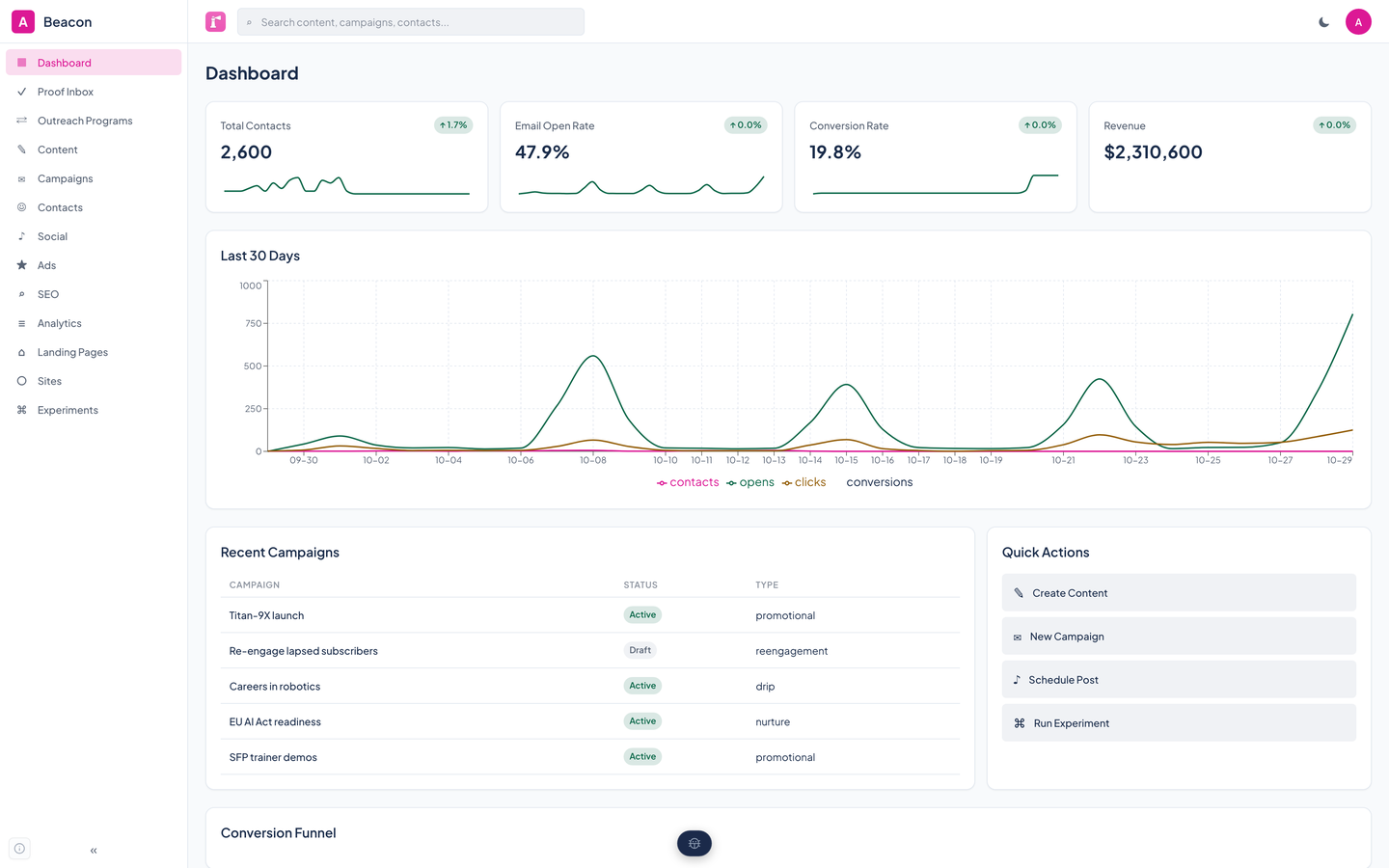
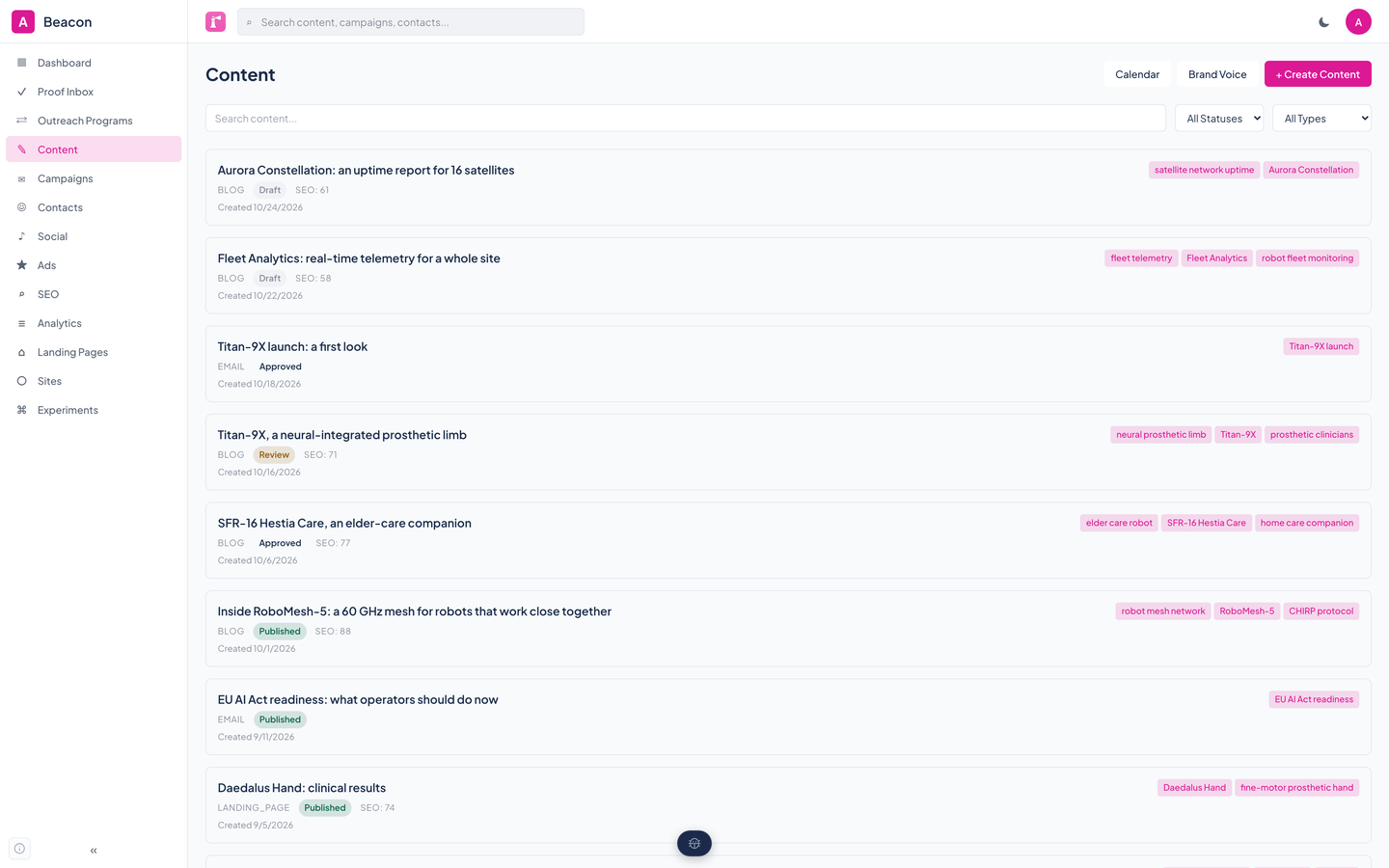
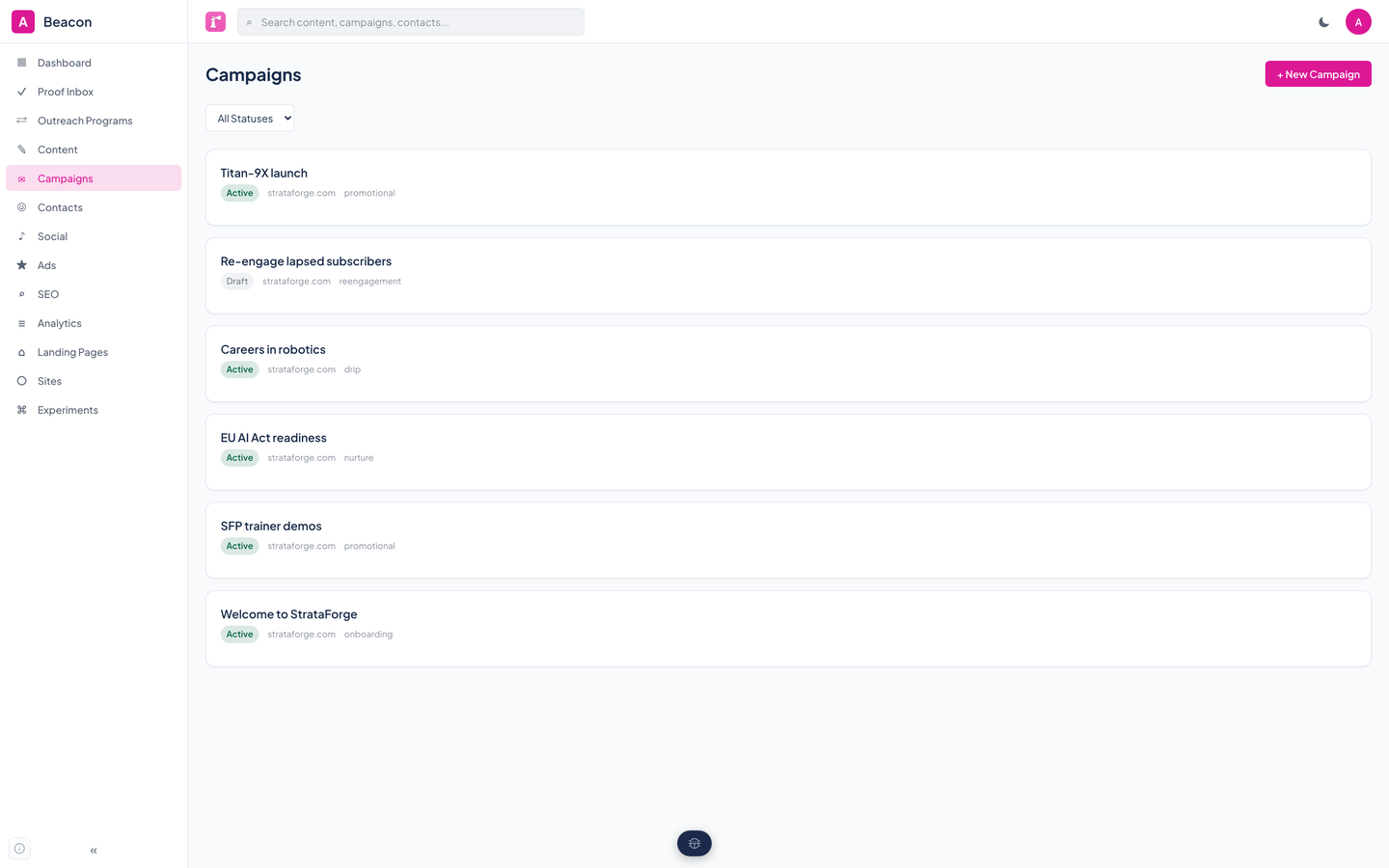
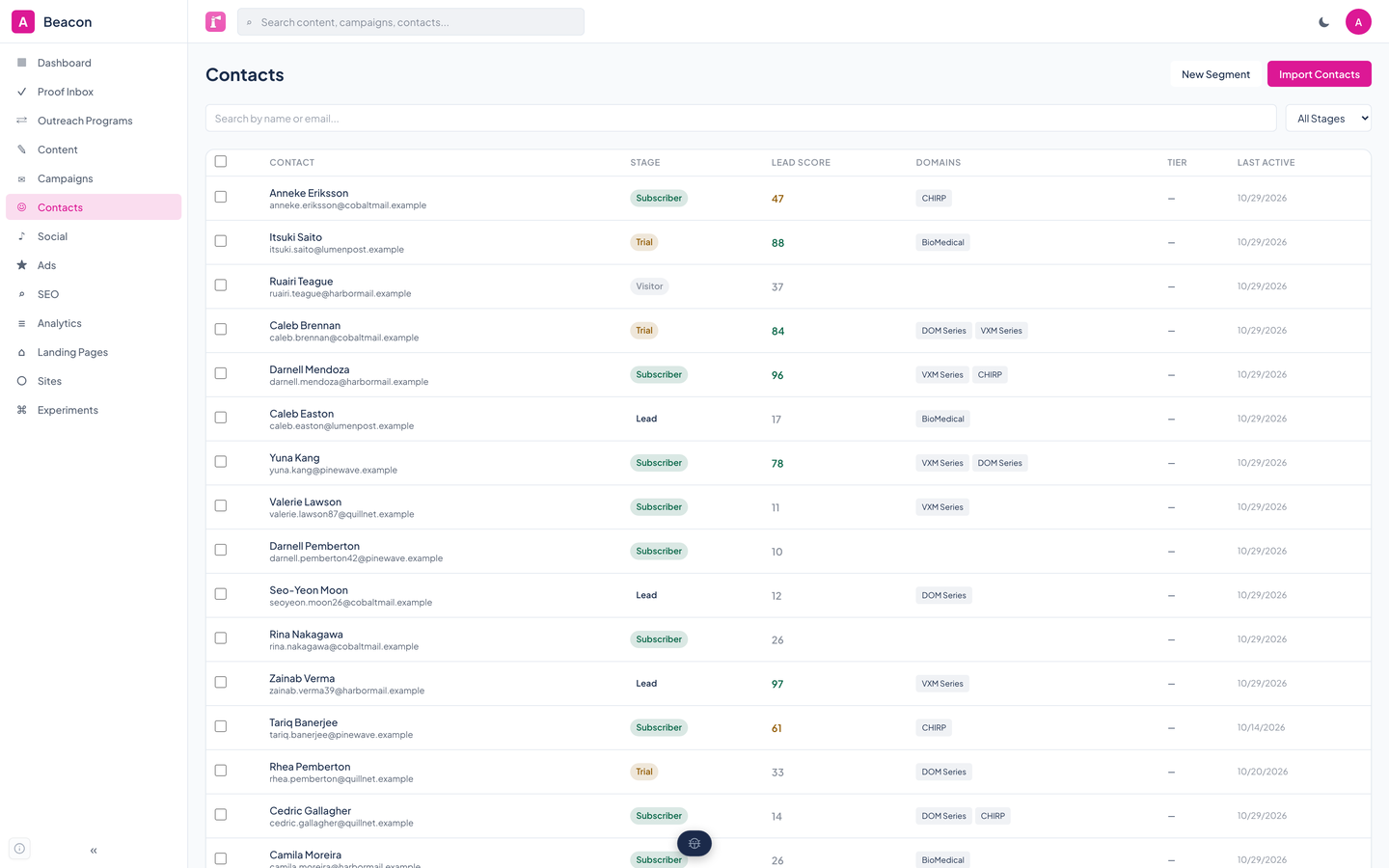
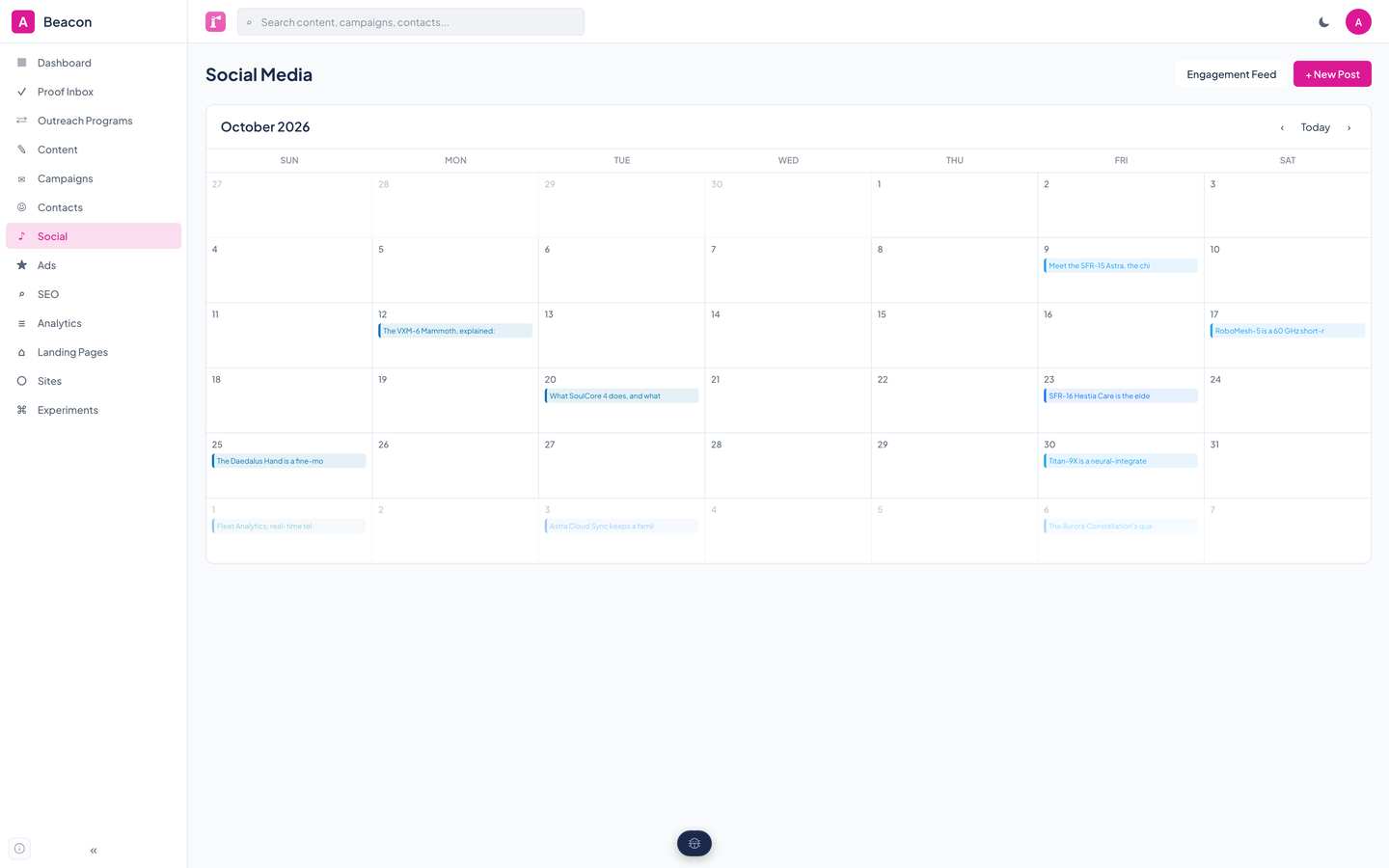
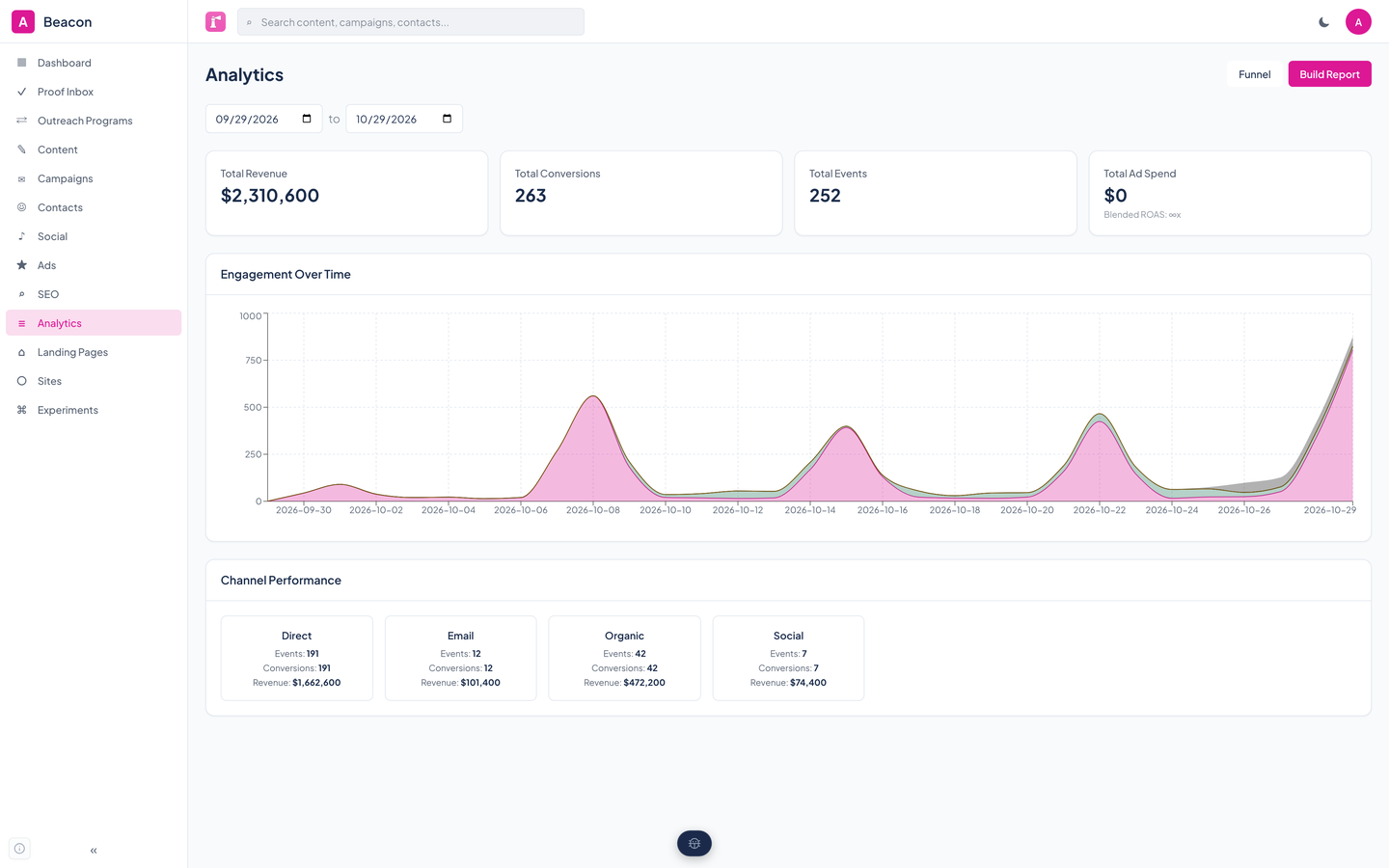
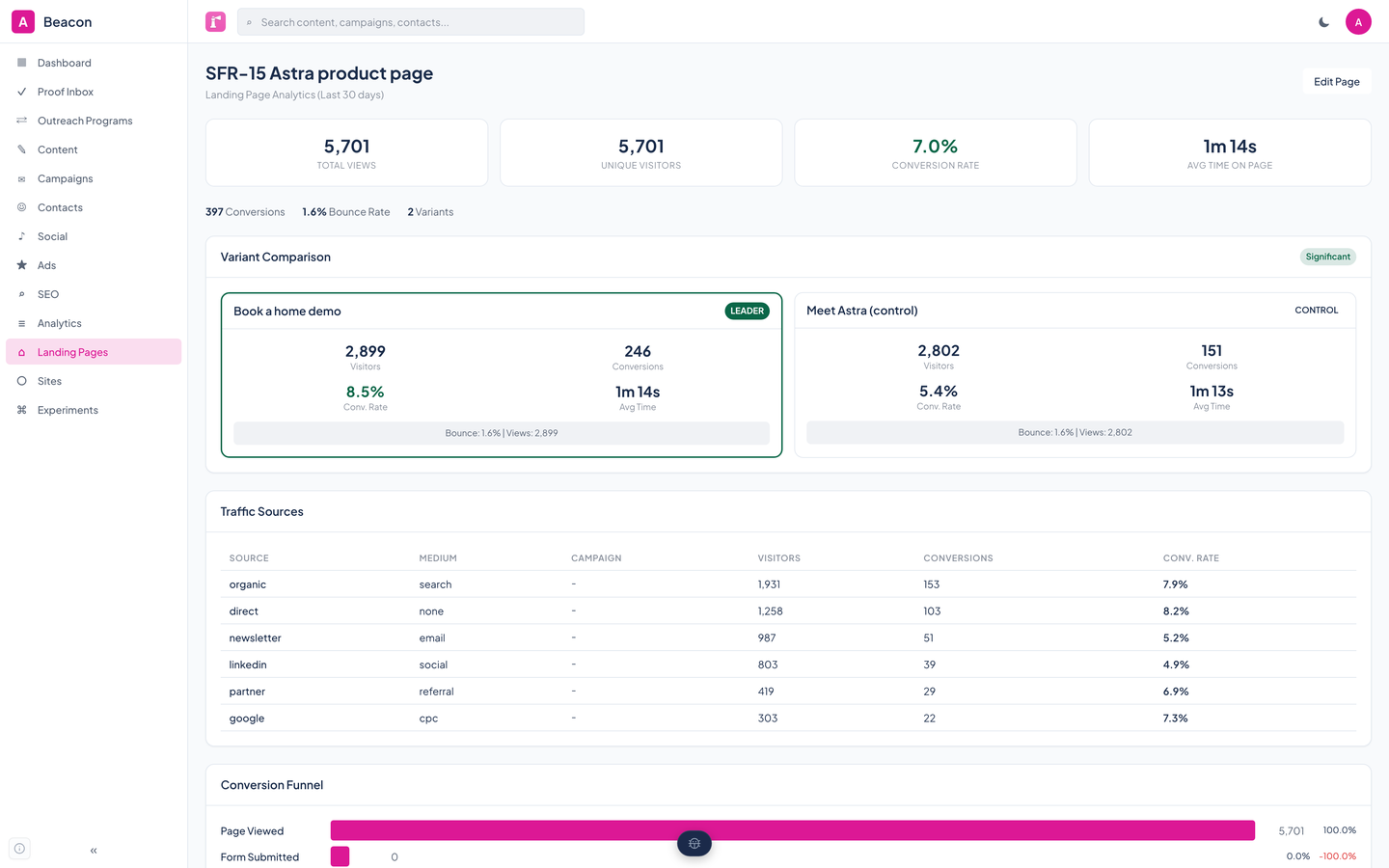
Define a brand voice per property, bring in contacts, and describe your audiences as segments.
Generate content in that voice, edit it, and move it from draft through review to approved before it is published.
Start an email sequence, schedule social posts, and put landing pages live with variants.
Run experiments, read the dashboard, and see which channels deserve credit for conversions.
Beacon's web app is built on the Renkara design system. We ran axe-core on its eight main views in light and dark and walked its controls with the keyboard; the same run found low-contrast text that is not fixed yet. Here is what the product supports today and what we have actually checked. We do not claim a WCAG conformance level for the product.
Partly supported
Every control in the sidebar and header can be reached with Tab in reading order, starting with a skip link, and each one shows a focus indicator.
Partly supported
The app has a skip link, landmarks, and labeled controls, and axe-core finds no serious or critical problems other than contrast and one name mismatch. It has not been tested with a screen reader.
Not supported
axe-core reports low-contrast text on all eight main views in both themes: muted text drawn at 70 percent opacity, accent-colored text on pale accent pills, and white on the accent button when hovered. This is not fixed yet.
Not yet tested
The Renkara design system's styles honor the reduced-motion setting, but Beacon's own tests do not check it, and the charts and animated outreach screens have not been tried with it on.
Not yet tested
Resizing text to 200 percent has not been tested.
Partly supported
Eight main views fit a 375 by 667 phone screen with no sideways scrolling. Tap-target size and touch use have not been measured.
| Backend |
|
|---|---|
| Frontend |
|
| AI |
|
| Analytics |
|
| For agents |
|
Beacon's MCP server exposes the whole product as tools an AI assistant can call. Each one is a thin call to the same REST API the web app uses, so nothing an agent can do is hidden from the app.
create_brand_voicelist_brand_voicesupdate_brand_voicegenerate_contentlist_contentget_contentupdate_contentapprove_contentpublish_contentget_content_calendarrepurpose_contentcreate_campaignlist_campaignsget_campaignupdate_campaignstart_campaignpause_campaignget_campaign_metricsadd_campaign_stepcreate_contactlist_contactsget_contactcreate_segmentlist_segmentsupdate_segmentget_segment_contactsevaluate_segmentcreate_lifecycle_rulelist_lifecycle_rulesdelete_lifecycle_ruleschedule_social_postlist_social_postspublish_social_postlist_social_accountsconnect_social_accountget_social_engagementlist_ad_campaignscreate_ad_campaignget_ad_metricssync_ad_metricsgenerate_ad_creativescreate_landing_pagelist_landing_pagesget_landing_pageupdate_landing_pageupdate_landing_page_statusadd_landing_page_variantupdate_landing_page_variantdelete_landing_page_variantget_landing_page_analyticsget_variant_comparisonget_traffic_sourcesget_landing_page_timeseriesget_landing_page_funnelresolve_landing_pagecreate_experimentlist_experimentsget_experimentstart_experimentrecord_experiment_resultconclude_experimentget_experiment_resultsget_marketing_dashboardget_conversion_funnelget_channel_attributioningest_analytics_eventslist_reportscreate_reportseo_keyword_researchseo_tracked_keywordsseo_optimize_contentseo_generate_metaseo_competitor_analysislist_tracked_sitesregister_siteget_tracking_scriptget_tracked_siteupdate_tracked_siteget_site_statsget_top_pagesget_site_devicesget_site_languagesget_site_referrersget_site_realtimecheck_service_healthget_diagnosticsNot yet. Beacon is coming soon and is not open to customers. To ask about it, write to contact@renkara.com.
No. Every screenshot is a capture of the running app against a made-up company, StrataForge Robotics. The contacts, campaigns, posts, and numbers are fictional, and nothing was sent anywhere to take them.
Mercury 3 writes bulk drafts, and Claude Sonnet 5.5 handles the tasks where quality matters most. Both are set in configuration, so they can change.
Email goes out through SendGrid when a campaign is started, and the scheduler runs the waits and conditions between steps. Content moves through draft, review, approved, and published on your say-so.
No. Beacon keeps contacts, segments, and lifecycle stages for marketing work, but it has no sales pipeline, deals, or quotes.
Parts of it are, and we say exactly which on the accessibility page. The app fails an automated contrast check on its main views today, and that is listed as a known gap.
Write to Renkara Media Group and a person will answer.